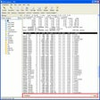
Streamlined SSH client combining graphical file management, command snippets, and quick remote terminal control
Streamlined SSH client combining graphical file management, command snippets, and quick remote terminal control
Vote (2 votes)
Program license Trial version
Developer Sshexplorer
Version 1.8
Works under Windows
Vote
(2 votes)
Developer
Sshexplorer
Works under
Windows
Program license
Trial version
Version
1.8
Pros
- Visual file management for easier server navigation
- Customizable command snippets save time and reduce potential errors
- QuickType bar improves usability on slow connections
- Intuitive interface lowers the entry barrier for new users
- Supports multiple connections and session management
Cons
- Lacks some advanced scripting and automation features found in specialist tools
- Interface customization options may be limited for some preferences
- No built-in support for advanced SSH key management
A user-friendly SSH client for efficient remote server management
Overview
SSH Explorer offers a practical solution for managing remote servers through Secure Shell (SSH) with a focus on balancing powerful features and usability. Designed for both new and experienced administrators, it provides robust terminal emulation paired with visual navigation tools, reducing the complexity typically associated with remote server operations.
Core Features
SSH Explorer integrates traditional command-line access with intuitive graphical enhancements. The standout component is the File View panel, which provides a clear and interactive display of the server's directory structure. Right-click context menus allow quick file operations such as copy, move, rename, and delete, helping users avoid frequent command-line typing and making file management considerably faster.
Another advantageous feature is the snippets toolbar. Preloaded with commonly used Linux commands, it helps users work more efficiently by offering one-click access to essential commands. For advanced users, SSH Explorer includes snippet customization, powered by a straightforward mini language. This enables storing and reusing complex command sequences, reducing manual input and minimizing errors.
Performance Enhancements
The QuickType bar is a notable tool aimed at users working over unreliable or slow network connections. Instead of sending each keystroke to the server in real time as most terminals do, this feature allows users to compose entire commands or sequences locally, then transmit everything in one burst. This approach significantly reduces input lag and improves productivity.
Security and Reliability
As with all SSH clients, security is paramount. SSH Explorer adheres to robust security protocols, ensuring encrypted sessions and secure authentication. By following industry-standard practices, it provides confidence for those managing sensitive or critical systems remotely.
User Experience
SSH Explorer suits both beginners and advanced users. Its graphical panels and context menus make remote server management accessible to those less familiar with command-line tools, while power users benefit from the scriptable snippets and efficient input methods. The interface is organized and visually clear, supporting multiple simultaneous sessions and streamlined workflow.
Integration and Compatibility
Compatibility with most standard SSH servers and its lightweight footprint make SSH Explorer a practical addition to any Windows-based system used for server management tasks. Installation is straightforward, and its settings can be adjusted to fit individual preferences and security requirements.
Pros
- Visual file management for easier server navigation
- Customizable command snippets save time and reduce potential errors
- QuickType bar improves usability on slow connections
- Intuitive interface lowers the entry barrier for new users
- Supports multiple connections and session management
Cons
- Lacks some advanced scripting and automation features found in specialist tools
- Interface customization options may be limited for some preferences
- No built-in support for advanced SSH key management